Face swap: your characters in place of the person on camera
Face swap replaces the person on camera with one of your characters. During a card's stretch, the character takes their place entirely, face, hair, body and outfit, from the views of their character sheet. The gestures, the voice and the setting of the video stay. Several cards can follow one another, with several characters.
Face swap renders locally on your graphics card, or online on our machines.
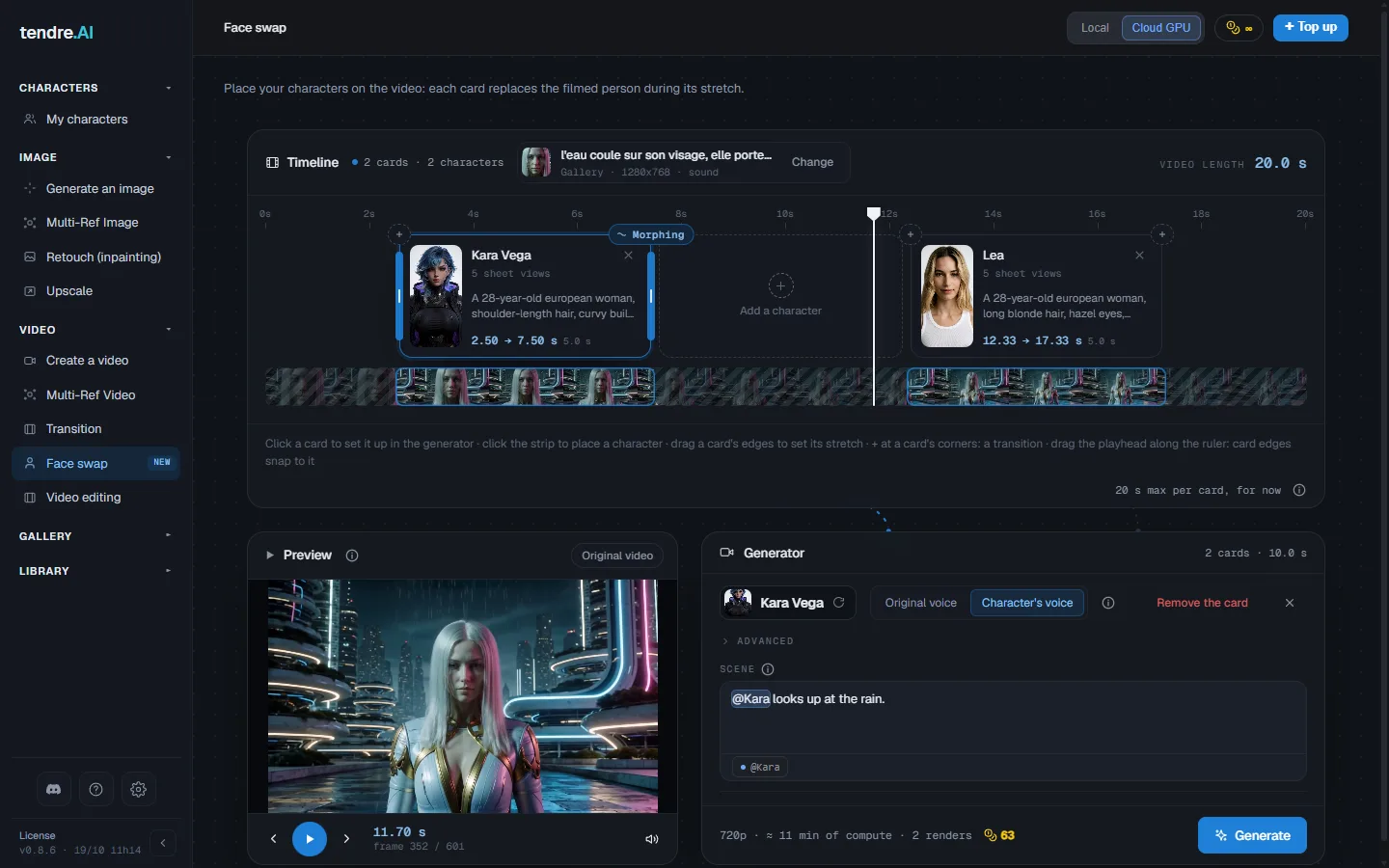
Choosing the video
Click "Choose a video" to pick it from your Gallery or import it (mp4, mov, webm or mkv), or drop it straight onto the screen. The timeline takes its length.
- The video keeps its original resolution and frame rate (60 frames per second at most), sound included.
- A stretch without a card stays as it is in the final video.
Only use videos of yourself or of people who have given their consent: it is a rule of the terms of use.
Placing characters on the timeline
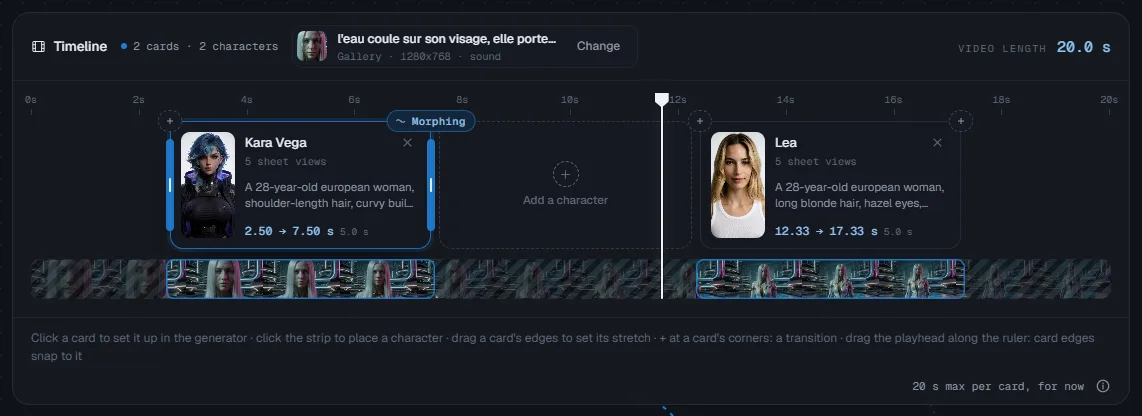
- Place a character: click the timeline strip where you want it. A card appears.
- Set its stretch: drag the edges of the card. The preview's playhead lets you set the start and the end to the exact frame; the edges snap to it. The space bar starts and stops playback.
- Transitions: the "+" at the corners of a card adds a transition where it starts or ends: "Morphing", "Glitch" or "No transition".
- Pick a card: one click on it sets it up in the generator, on the right.
Setting up a card
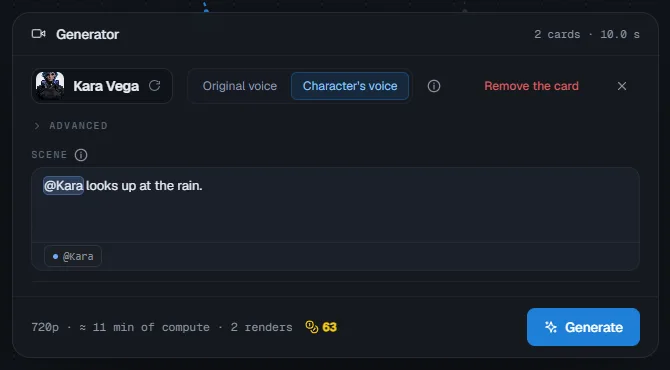
In the generator, the selected card is set up without any window:
- Character: pick them in My characters, with their sheet (the outfit). Face swap uses the views of the sheet; the more complete they are, the more faithful the character.
- Voice: "Character's voice" changes the voice of the video into the one from their profile, at the same pace: the lips stay in sync. "Original voice" keeps the filmed voice. A character with no voice in their profile keeps the original voice.
- Scene: what the character does during their card, their gestures, their attitude, an object ("@Kara puts on headphones"). The @mention carries the character's description: one click on it shows it and lets you correct it. Optional; the text is translated into English when sent.
Advanced settings
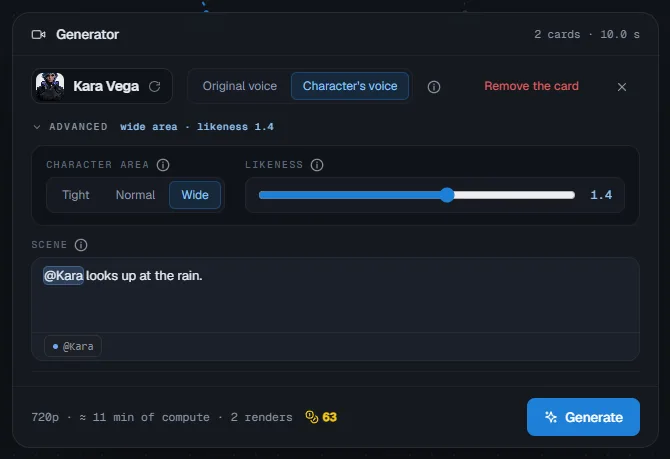
"Advanced", above the scene, opens two settings per card. When one of them leaves its default value, the header shows it ("wide area · likeness 1.4").
- Character area: the space around the person on camera where the character can be drawn.
- Normal (the default) suits most characters.
- Wide leaves room for big ears, wings, an imposing build.
- Tight keeps the character as close as possible to the silhouette: less of the background is repainted.
- Likeness: how closely the character sticks to their profile, from 0.5 to 2. At 1, normal likeness; higher, they look more like their profile; lower, the profile weighs less.
Generating
Below the generator, the screen shows the estimated compute time and, online, the price in credits, then Generate.
- Each card is one render; the app then assembles them with the transitions and the sound.
- Online, the price is per second: splitting the video into several cards costs nothing more.
- Before starting, the app checks that your balance covers the price. If it does not, nothing is sent: the "Not enough credits" window offers to top up.
- A render of more than 1,000 credits asks for confirmation, with its price and compute time.
- In demo mode, Generate offers to activate a license: Face swap is reserved for licenses.
If the app closes during the render, the screen offers to resume it: the pieces already received are kept, only the rest is computed again.
Local or online
- Local: free, on your graphics card. You need a PC with a recent NVIDIA card with at least 8 GB. The first time you switch to Local, the screen offers to download the Face swap component (about 5.7 GB). It is slower than online, and the character is computed a little smaller there; the video keeps its resolution. The character's voice also needs the voice component, installed from the Video tab.
- Online (Cloud GPU): on our machines, billed per second. On Mac, Face swap runs online.
The result
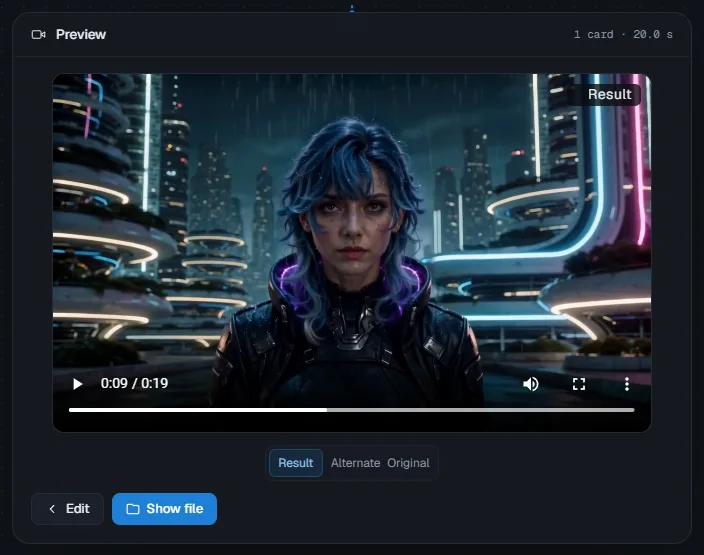
The preview opens on the Result. "Alternate" switches from the original to the result every second, "Original" shows the filmed video. Edit goes back to the cards; the video is saved in your gallery. From the gallery, Reuse reopens the Face swap with its video and all its cards, ready to edit or render again.
Current limits
- 20 s at most per card. Beyond that, split it into two cards. The whole video can be longer.
- Two cards of the same character in a row do not join perfectly yet: a transition between them hides the cut.
- On Mac, Face swap runs online for now.
Frequently asked questions
How long does a Face swap take? Several minutes per card: the screen shows the estimated compute time before you start. If an online machine has to start first, the wait can be longer.
How much does it cost? Locally, nothing. Online, a price per second of card, shown before you start. A stretch without a card costs nothing. A long video costs a lot: above 1,000 credits, the app asks you to confirm.
Will my voice be changed? With "Character's voice", yes: on each card, the voice becomes the one from the character's profile, at the same pace. With "Original voice", your voice stays.
Why does the Generate button stay greyed out? The video is missing ("Choose a video") or a card is ("Place at least one card on the video").
My render stopped, did I lose my credits? No: the pieces already rendered are paid for and kept. "Resume" carries on where the render stopped; "Discard" deletes what was received.
See also
- Character sheets: the views and the outfit that Face swap reproduces.
- Multi-Ref Video: have your characters act in an invented scene.
- Transitions: a video that moves through your keyframes.